Friday, 19 April 2013

I9300 Imei Repair Done Z3X Box


Selected model: I9250
Selected port: COM4 Z3X BOX Serial Port
Selected port speed: 115200
Reading phone info...
Model: GT-I9300
Android version: 4.0.4
Product code: Not Active
Phone version: I9300XXLE8
PDA version: I9300XXALE8
CSC version: I9300OJVALE7
IMEI: Unknown
Checking Super user right... true
Reading data from phone... OK
Writing data to phone... OK
Rebooting phone... OK
Checking phone at COM4 OK
Reading phone info...
Software version:
IMEI:
Product code:
Bypass MSL... OK
Repairing IMEI... OK
Repair done
Reseting... OK
Done with Samsung Tool v.13.7

I9300 Imei Repair Done Z3X Box 

Android TM Tablet unbootable OS 2.2 Kernel 2.6.32 Build Number V1.5.1


 Android TM Tablet unbootable OS 2.2 Kernel 2.6.32 Build Number V1.5.1


Tablet will not start 


Android TM OS 2.2 
Kernel 2.6.32 
Build Number V1.5.1


Solution to this problem, only valid for tablets 7 " .


UDROIDX 1.5.5      


NEWEST. Flash Player ready,  Improved  WIFi- Sound-Battery-New Launcher.
FASTEST. Ready to install on a lot of  WM8650 powered tablet.

Built on the 1.5.5 firmware WM8650 ; 


BEFORE FIRMWARE UPDATING please  back-up the env_uboot and wmt_scriptcmd files from your devices factory firmware you could need it later if  env_uboot in list are not working for you!!!

To install do the following:
Format a SD card to FAT32 
Extract the contents of the zip file to your SD card.

Sure you are able to do the following:

Choose your env.uboot file under  Firmwareinstalle/env according your device and rename env_uboot, delete all the others you  founded in  directory . 

Eventually insert SD card into your device and power on ; upgrade will run automatically. Once  it’s finished wait 1 min. before removing your SD card . 
The device will reboot and you can have a cup of coffe!!  
PLEASE WAIT… and be patient,  it needs 4-5 min.

The system loading screen stucked for more than 5 minutes , NO PANIC ...... try another env_uboot  or BETTER IDEA  use the env_uboot and wmt_scriptcmd files from your devices factory firmware.

Known BUGS: Battery indicator 100%

Thanks  EVERYBODY who helped ! 


Use at your own risk  !!!!!                 


Monday, 28 January 2013

zZKey Huawei Advanced Tool v1.02 2013 updated


Many new models added
Now if you think in Huawei you Mean zZ-KEY DONGLE... why???

- Huawei Old Qualcomm (Supported!)
- Huawei Android (Supported!)
- Huawei Android New Security (Supported!)
- Huawei MTK (Supported!)
- Huawei Modems (Supported!)

What's New:

Huawei Phones Qcom added:

-U2800 (Direct Unlock, Repair Simlock, Read/Write Backup, Relock Phone, Restart Counters)

-U2801 (Direct Unlock, Repair Simlock, Read/Write Backup, Relock Phone, Restart Counters)

-U3300 (Direct Unlock, Repair Simlock, Repair IMEI(World FIRST), Read/Write Backup, Relock Phone, Restart Counters)

-U3305 (Direct Unlock, Repair Simlock, Repair IMEI(World FIRST), Read/Write Backup, Relock Phone, Restart Counters)

-U3307 (Direct Unlock, Repair Simlock, Repair IMEI(World FIRST), Read/Write Backup, Relock Phone, Restart Counters)

-U3311 (Direct Unlock, Repair Simlock, Repair IMEI(World FIRST), Read/Write Backup, Relock Phone, Restart Counters)

-U3315 (Direct Unlock, Repair Simlock, Repair IMEI(World FIRST), Read/Write Backup, Relock Phone, Restart Counters)

-U5110 (Direct Unlock, Repair Simlock, Read/Write Backup, Relock Phone, Restart Counters)

-U6150 (Direct Unlock, Repair Simlock, Read/Write Backup, Relock Phone, Restart Counters)

-U7300 (Direct Unlock, Repair Simlock, Repair IMEI(World FIRST), Read/Write Backup, Relock Phone, Restart Counters)

-U7315 (Direct Unlock, Repair Simlock, Repair IMEI(World FIRST), Read/Write Backup, Relock Phone, Restart Counters)

-U9100 (Direct Unlock, Repair Simlock, Repair IMEI(World FIRST), Read/Write Backup, Relock Phone, Restart Counters)

-U9105 (Direct Unlock, Repair Simlock, Repair IMEI(World FIRST), Read/Write Backup, Relock Phone, Restart Counters)

Bugs fixed:

- U1250, U1270, U1280, U1285, U1290, U7510, U7519 minor bugs fixed.

Update dongle with last UpdateCenter v0.302 is required. Old UpdateCenter version stop working.
DISCLAIMER:
--------------------------
The change IMEI option has been created by our zZ-Team only with the objective of restablishing the original imei.
Any illegal use with the IMEI, changes or modifications of the original IMEI, are on their own responsibility. Our zZ-Team no assumes responsibility to misuse of this software.
DOWNLOAD:

MIRACLE BOX UPDATE 1.40 2013 MIX UP DATE

VolcanoBox 1.9.0 World's 1st Coolsand CPU ID - MTK Android 4.0.9 Imei Repair & More

VolcanoBox

VolcanoBox 1.9.0

Whats new ?

World's 1st Automatic recognition of CPU ID coolsand
Coolsand increases the recognition of some new flash type
SPD6530 automatic reading 32M
MTK 65xx Android 4.0.x Imei repair.

Details :

Now VolcanoBox can detect CPU ID from any of phones. whenever you will readinfo you will see log like this.

please press Power on/off button.
CPU ID: 880A 7002
Flash ID : 00C84016
Flash Type: SF_GD25Q32
>>Flash Len :0x400000(4M)

CPU ID: 880A 7002

This is Mobile CPU ID. now this is very important whenever you read flash always save file name with CPU ID and FLASH ID and FLASH TYPE and Flash Len. on next upcoming update we will do Auto. you will not have to Write name with your keyboard. so Now this problem solved that Same phone have different Cpu now no need to open just read info and you can know what cpu is inside. for example

CT1130/1131 is 8806
CT1129D is 8808
CT8851A is 880A ( not confirmed )

Once you use you will know which CPU ID have which CPU. and please collect all details that which cpu id have which cpu and post in it one thread.

MTK 65xx Android 4.0.x Imei repair.
Details:

Mostly All MTK65xx Imei repair can be done with Volcano Box !!

Today we have tested QMobile A8 MTK6577 4.0.4 which was not repairing imei before but now it can !! Also we have tested Clone Iphone 4s MTK 6573 4.0.9 Both imei repair done !!!!

how to do it ?

1st of all. Try to repair imei
if success then Good otherwise read more...
if failed then go to
C:\Program files\VolcanoTeam\Volcano Box\Documents & Help\Samsung Modem Dump\Samsung Root\SuperOneClickv2.3.3-ShortFuse.rar
Extract it
open it
click on Root
check if it's saying your phone is already rooted.
if it's saying then download Super User from Google play
run it.
close it
plug usb and repair imei it must be done.
if it's not saying thta your phone is already rooted
then let it root. if success then repair imei
if still not success then find some root software and root it
after root your phone imei will be repaired !!

I am Collecting All possible root softwares and i will give it to you in next upcoming updates...

Special Thanks to alpesh_12345 for testing with me Clone Iphone 4s 4.0.9

Download Link : VolcanoTool_v1.9.0.rar

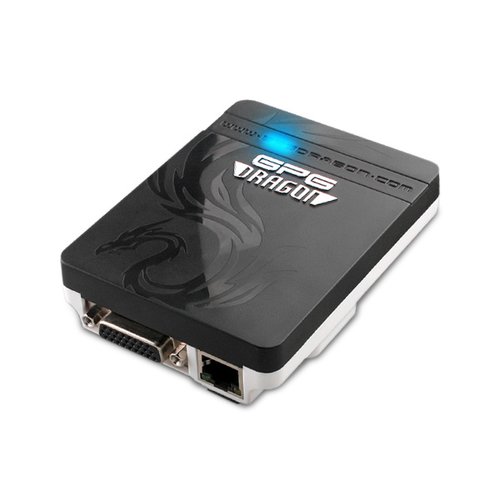
GPGDragon Ver 3.18A 2013 New Update


GPGDragon


Add MTK CPU 6515 Smart Phone Read Flash

Add MTK CPU 6515 Smart Phone Format 


Add MTK CPU 6236 Write Flash

Fix 6575 CPU Read Flash 1% Stop Bugs 

Download Link : GPGDragon_3.18a.rar

2690,5130,2700,2730 Show Nokia and Go white Light 100% Solution


I have 100% solution Of Nokia 5130,2700,2730,2690 shows only Nokia and goes to white light.

Solution is free of Cost.

OK I Give solution to the follow Step BY Step--

1-- Backup you phone

2-- reset NPC data

3-- flash with latest version

4-- Now Check ur phone With Battery It 100% on

5-- Restore Backup.

Remember agar set ka backup na le pae to is processor ko na apnaye set ka imei corrupt ho jayega.

press only and only thanx button